
 Expert Diagnostic Support
 Remote Software Installation
 Secure Shopping
 Contact Support


 Shop by Category


Description
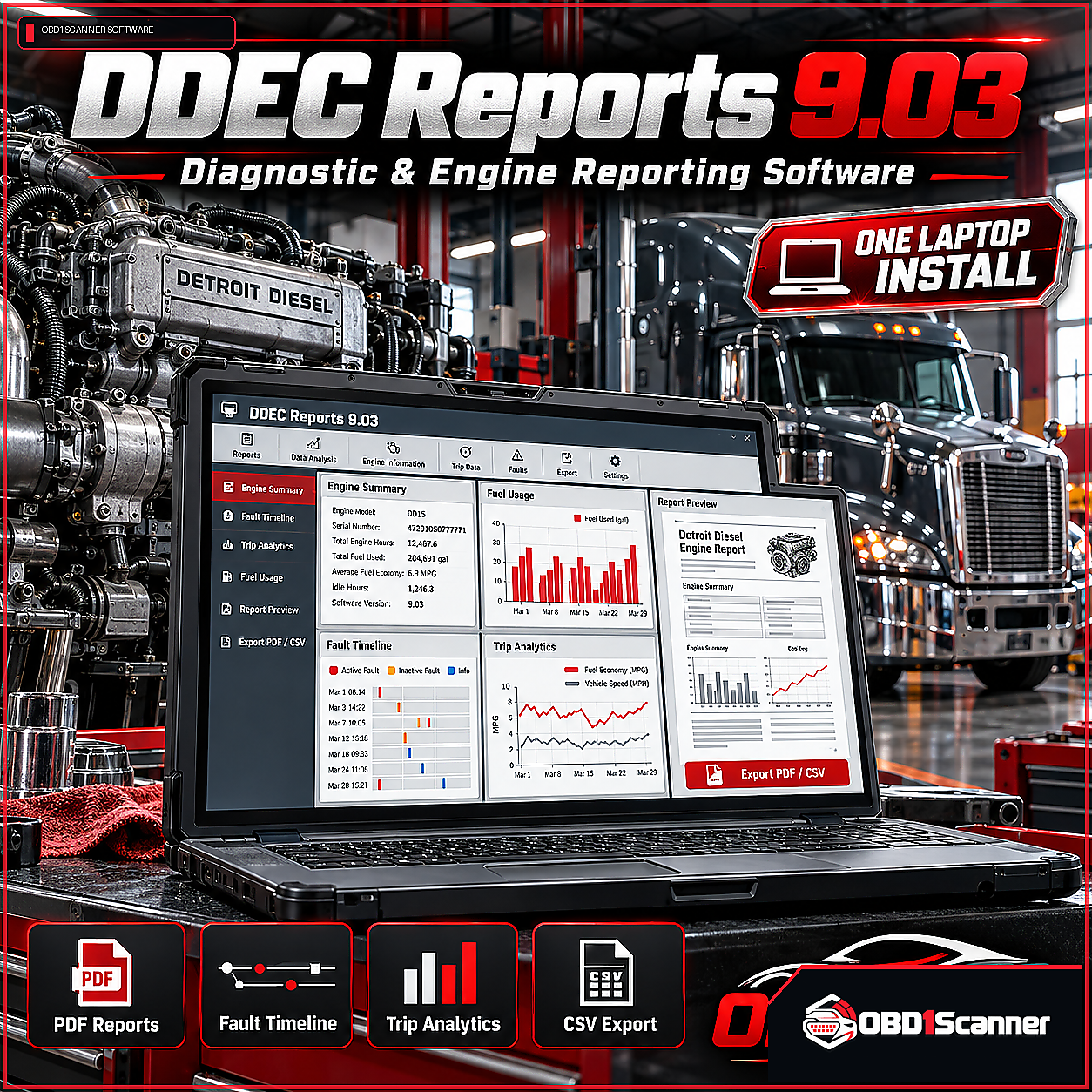
DDEC Reports 9.03 organizes DDEC controller data into reports for engine history, maintenance review, and fleet analysis. It provides reporting and analytics; it is intended to complement diagnostic scanners rather than replace dealer-level diagnostic software.
Reporting and analysis tools
- Engine reports: Create PDF and CSV reports with fault summaries, event timelines, trip statistics, and fuel-use graphs.
- Fault and event review: View recorded DTC descriptions, timestamps, severity, probable causes, and event information.
- Trip analysis: Review start and stop logs, idle time, average load and speed, and trip fuel consumption.
- Maintenance and fleet workflows: Set service reminders, schedule recurring reports, and run batch reports for multiple vehicles or assets.
- Custom reports and exports: Add company logos, shop notes, and custom fields, then export reports for fleet or maintenance platforms.
Installation and compatibility
This One Laptop Install package includes remote installation and activation on one laptop, adapter driver configuration, initial report template setup, and communication verification with DDEC ECMs.
DDEC ECMs are required. Supported equipment includes Detroit Diesel DDEC Series 60, DD13, DD15, and DD16 engines, Detroit-powered Freightliner models, Western Star, Freightliner Cascadia with Detroit engines, and other OEM equipment using Detroit powertrains. For non-standard or heavily customized installations, check with support before purchase.
Compatible interfaces include Nexiq USB-Link, Nexiq USB-Link 2/3, DPA5, and other Detroit-compatible interfaces. Proper adapter drivers must be installed. Minimum requirements include Windows 7, 10, or 11 (64-bit preferred), an Intel Core i3 or equivalent, 4 GB RAM, and 5 GB free disk space. Internet access is required for remote activation and updates. After activation, core reporting features work offline.



Reviews
There are no reviews yet.