
 Expert Diagnostic Support
 Remote Software Installation
 Secure Shopping
 Contact Support


 Shop by Category


Description
SEM EDT 2025A – SEM Electronic Diagnostic Tool
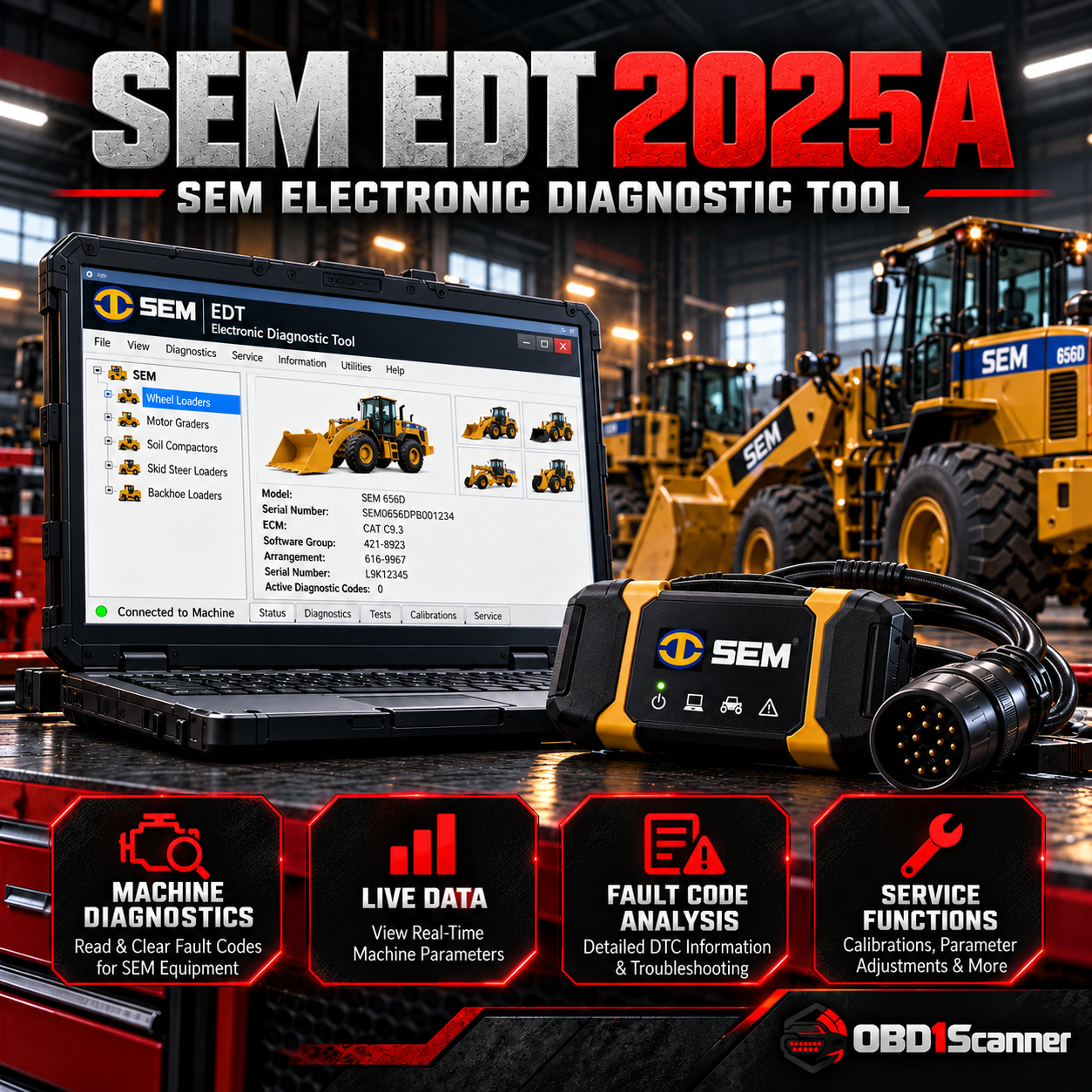
SEM EDT 2025A [2025.01] is a professional diagnostic application for supported SEM machinery. It communicates with electronic control systems through a compatible heavy-duty interface so technicians can view machine condition in real time, diagnose faults and perform supported service procedures.
Main Diagnostic Functions
- View active and stored diagnostic errors.
- Review recorded events associated with abnormal machine operation.
- Display, record and analyze live parameters such as temperature, pressure and other ECM values.
- View and modify supported ECM/system configuration parameters.
- Perform supported diagnostic tests and calibrations.
- Work with supported flash/service files where the machine and tool configuration allow it.
- Generate or print diagnostic/service results.
Supported Equipment
The exact 2025A catalog data identifies SEM heavy-equipment coverage and specifically lists medium wheel loaders and off-highway trucks among verified applications. Other SEM machines can be supported depending on the model and ECM generation; exact model compatibility should be confirmed before installation.
Technical Information
- Version: 2025A [2025.01]
- Download size: approximately 563 MB
- Installed size: approximately 2.04 GB
- Operating systems: Windows 10 x64 and Windows 11 x64
- Region: all regions
- Software type: diagnostic
Supported Interfaces
Exact-version references document testing with common RP1210/heavy-duty adapters, including:
- CAT Communication Adapter III
- Nexiq USB-Link 1, 2 and 3
- Noregon DLA+ and DLA+ 3.0
- Dearborn DPA5
Languages
English, French, Spanish, Portuguese, Danish, Italian and Dutch are documented for the 2025A package.
Who Is This Software For?
- SEM equipment technicians
- Heavy-equipment repair workshops
- Fleet service departments using SEM machinery
- Technicians who need SEM-specific ECM diagnostics and service tests
Important Compatibility Notes
Confirm the exact SEM model, ECM generation and communication interface before purchase or installation. A compatible adapter and physical diagnostic connection are required. Programming or flashing should only be carried out with the correct files and stable machine power.




Reviews
There are no reviews yet.