Sale!
DIAGNOSTIC SOFTWARE Nissan

Nissan Consult 3 Plus V241 — Diagnostic & Programming Software for Nissan and Infiniti

Original price was: $29.99.Current price is: $18.88.

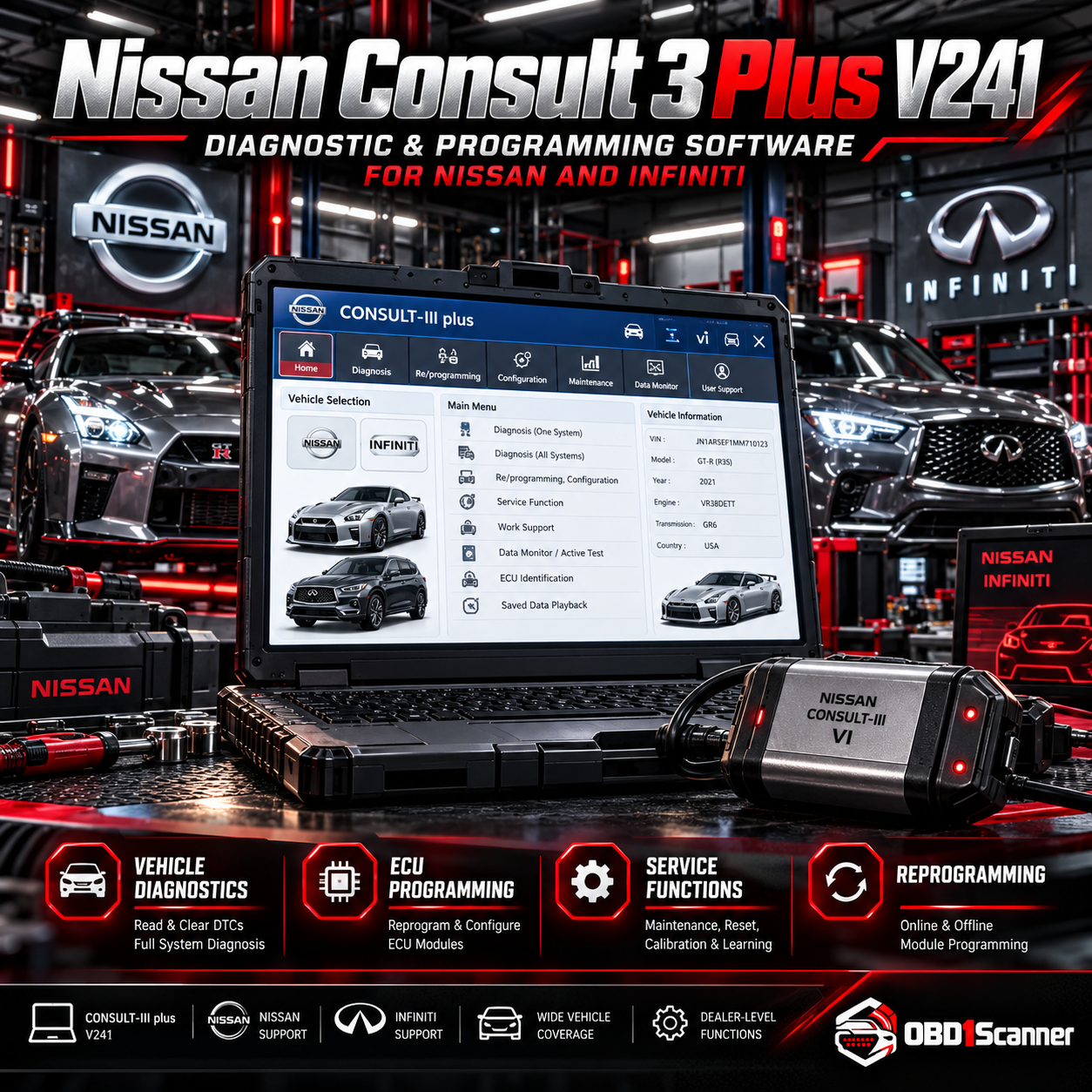
Nissan Consult 3 Plus V241 provides diagnostics, live data, and supported coding and programming functions for listed Nissan and Infiniti vehicles. A compatible VI3 or J2534 interface is required to connect to the vehicle.

NissanVersion: Nissan Consult 3 Plus V241
Digital / Email Delivery

This software is delivered digitally. Delivery instructions and any required installation information are provided after the order is confirmed.

Need compatibility help? Contact Support →
Choose your purchase option
Secure checkout
Buy Now

Add to Cart to keep shopping, or Buy Now to go directly to checkout.

ORDER TYPEDigital software

Delivery or installation details are shown for the individual product.

COMPATIBILITYCheck before purchase

Review technical requirements and supported applications carefully.

SUPPORTProduct guidance

Contact support when you need help interpreting compatibility information.

VERIFIED PRODUCT INFORMATION

Technical Details & Compatibility

Review the software version, system requirements and compatibility information before purchase.

Software Version
Nissan Consult 3 Plus V241
Supported Operating Systems
Windows 7, 10, or 11 (64-bit recommended)
System Requirements
Windows 7, 10, or 11 (64-bit recommended) Intel Core i3 processor or higher 4 GB RAM minimum (8 GB or more recommended) 5 GB free storage space
Supported Vehicles / Equipment
Nissan: Leaf, GT-R, Murano, Pathfinder, Altima, Rogue, Sentra, Titan, Frontier, Juke, X-Trail, Versa Infiniti: Q50, QX60, EX35, G37, M45, Q70, QX80
Supported Functions
Read and clear fault codes from engine, transmission, ABS, SRS, HVAC, and more Monitor live sensor data and ECU parameters in real time ECU programming and coding for supported models Activation of special functions like steering angle sensor reset, injector coding, and throttle matching Key programming and immobilizer setup (with proper hardware and authorization) Automatic VIN retrieval and vehicle configuration All-systems scan for multiple modules in one session
Required Interface / Adapter
The software requires a compatible vehicle interface such as VI3 or J2534 to connect to the OBD-II port.
License Information
License time: Lifetime Some advanced functions may require valid Nissan online accounts and authorized access
Languages
Language: English
Storage Requirements
5 GB free storage space
Internet Requirements
Some advanced functions may require valid Nissan online accounts and authorized access
Compatibility Notes
Turn off antivirus before installation; some programs may flag activation files as false positives Some advanced functions may require valid Nissan online accounts and authorized access

Description

Nissan Consult 3 Plus V241 is diagnostic and programming software for supported Nissan and Infiniti vehicles. It can scan multiple modules, read and clear fault codes, monitor live sensor data, and perform supported coding and service procedures.

Diagnostic and service functions

  • Read and clear fault codes across systems including engine, transmission, ABS, SRS, and HVAC
  • Monitor live sensor data and ECU parameters
  • Perform all-systems scans, automatic VIN retrieval, and vehicle configuration
  • Access ECU programming and coding for supported models
  • Use applicable special functions such as steering angle sensor reset, injector coding, and throttle matching
  • Key programming and immobilizer setup are supported with proper hardware and authorization

Supported vehicles

Listed Nissan models include Leaf, GT-R, Murano, Pathfinder, Altima, Rogue, Sentra, Titan, Frontier, Juke, X-Trail, and Versa. Listed Infiniti models include Q50, QX60, EX35, G37, M45, Q70, and QX80.

Requirements and notes

  • Compatible vehicle interface such as VI3 or J2534 required for connection to the OBD-II port
  • Windows 7, 10, or 11; 64-bit recommended
  • Intel Core i3 processor or higher, 4 GB RAM minimum (8 GB or more recommended), and 5 GB free storage
  • Language: English
  • License time: Lifetime
  • Some advanced functions may require valid Nissan online accounts and authorized access
  • Turn off antivirus before installation; some programs may flag activation files as false positives
Reviews

There are no reviews yet.

Be the first to review “Nissan Consult 3 Plus V241 — Diagnostic & Programming Software for Nissan and Infiniti”

Your email address will not be published. Required fields are marked *

OBD1SCANNER PRODUCT OVERVIEW

Why This Software Stands Out

A broad set of diagnostic, live-data, scanning, and supported programming functions makes this a useful option for working with the listed Nissan and Infiniti vehicles, provided you have a compatible interface.

Pros

  • Reads and clears fault codes across multiple vehicle systems
  • Includes live data monitoring and all-systems scans
  • Supports ECU programming and coding for applicable models
  • Lists Nissan and Infiniti vehicle coverage

Considerations

  • Requires a compatible VI3 or J2534 interface
  • Some advanced functions may require Nissan online accounts and authorized access
  • Requires a Windows PC and 5 GB of free storage
COMMON QUESTIONS

Software FAQs

Which vehicles are listed as supported?

Listed Nissan models are Leaf, GT-R, Murano, Pathfinder, Altima, Rogue, Sentra, Titan, Frontier, Juke, X-Trail, and Versa. Listed Infiniti models are Q50, QX60, EX35, G37, M45, Q70, and QX80.

What interface is required to connect to a vehicle?

A compatible vehicle interface such as VI3 or J2534 is required to connect to the OBD-II port.

What are the PC requirements?

The listed operating systems are Windows 7, 10, or 11, with 64-bit recommended. Requirements include an Intel Core i3 processor or higher, at least 4 GB RAM (8 GB or more recommended), and 5 GB of free storage.

Does the software support ECU and key programming?

ECU programming and coding are supported for applicable models. Key programming and immobilizer setup are supported with proper hardware and authorization; some advanced functions may require valid Nissan online accounts and authorized access.

What is the license time and available language?

The listed license time is Lifetime, and the listed language is English.