
 Expert Diagnostic Support
 Remote Software Installation
 Secure Shopping
 Contact Support


 Shop by Category


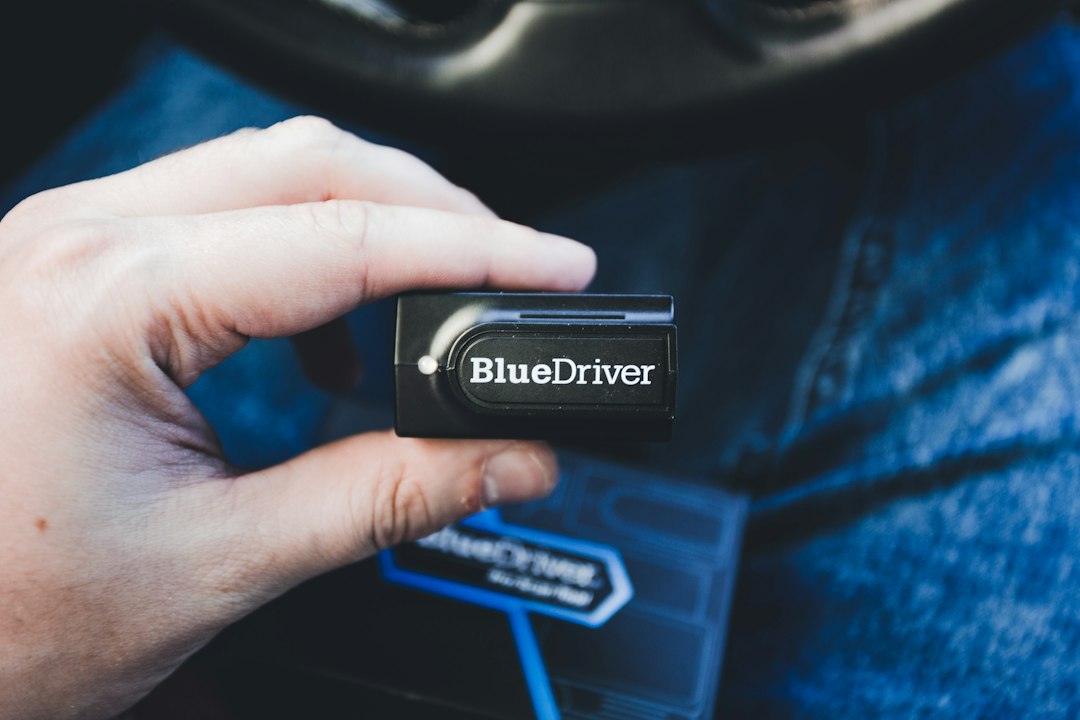
You’re at a weekend project: the check engine light on your 1992 pickup stubbornly stays lit and you want to read codes before you order parts. You pull out a modern OBD2 reader and—nothing fits. That moment of frustration is exactly why a clear approach to OBD1 scanner compatibility matters. Below is a practical, question-driven guide to getting a working diagnostic hookup on older cars fast, without guessing which cable or adapter will do the job.
What exactly does “OBD1 scanner compatibility” mean?
OBD1 scanner compatibility means the scanner (or adapter plus scanner) communicates with the car’s diagnostic port and protocol. Older vehicles used several different connectors and proprietary protocols long before the OBD2 standard. Compatibility has three elements: physical connector, electrical/power requirements, and communication protocol (how the scanner speaks to the ECU).
Which connectors should you identify first?
Start by visually identifying the car’s diagnostic connector. Common legacy connectors include:
- GM 12-pin ALDL (often under the dash, rectangular)
- Toyota 22-pin or older 16-pin proprietary ports
- Honda 3- or 4-pin connectors (some early models)
- Manufacturer-specific round or flat plugs (older European models)
Take a photo or note the pin count and shape before you shop. Different cables/adapters match specific pin counts—an OBD2 plug alone will not fit these.
Can a modern OBD2 scanner work with an OBD1 car?
Sometimes—if you add the right adapter and if the scanner supports the legacy protocol. There are two common routes:
- Use an OBD2 scanner plus an OBD1 adapter cable (physically converts the plug). This works only when the scanner’s firmware includes support for the older protocol.
- Buy a scanner specifically advertised as OBD1-compatible with multi-adapter kits. These either include firmware for older protocols or ship with manufacturer-specific cables.
[h3]How to check protocol support[/h3]
Read the scanner’s specs or product page for listed legacy protocols (for example GM ALDL, Toyota diagnostics, or Bosch early systems). If the manufacturer lists specific model years or engine families, match those to your vehicle. If in doubt, contact support with your VIN and model year.
Which adapters or cables actually solve most problems?
For many owners, an adapter kit is the simplest purchase. Among store options, the Autel MaxiSys MSOBD2KIT (product ID 1821) is a strong fit: it provides a range of OE-style connectors that enable modern Autel scanners to interface with many OBD1 ports. If you own a general-purpose entry-level scanner, choose a bundle that explicitly lists the vehicle make and year.
When a single cable is needed—GM 12-pin ALDL or Toyota 22-pin—buy the adapter designed for that interface rather than a generic multi-pin bundle; mismatched pinouts can produce confusing or no responses.
What common pitfalls should you avoid?
- Assuming OBD2 physically fits—OBD2 plugs won’t mate with OBD1 ports without an adapter.
- Using a cable that supplies no external power—some legacy ports expect the scanner to provide switched power or require an external 12V source; check the adapter’s notes.
- Overlooking firmware—an adapter does not magically add protocol support; your scanner must understand the car’s messaging.
- Mixing up similar-looking connectors—pin orientation matters; test gently and never force a plug.
How to test a suspected compatible setup quickly
- Turn the ignition to “ON” (engine off unless the manual says otherwise).
- Connect the adapter/cable and the scanner; confirm the scanner powers up or shows an “OBD” port detected message.
- Run a vehicle ID or protocol detect function if available; note any error codes or communication timeouts.
- If no communication occurs, try switching the ignition, checking for a blown fuse on the diagnostic circuit, and verifying external power is present if required by the adapter.
When to choose a dedicated OBD1-capable scanner instead of an adapter
Pick a dedicated OBD1-capable scanner when you regularly work on multiple older cars or need full-system coverage (e.g., ABS, SRS on early systems) beyond the engine ECU. Dedicated units often include a kit of manufacturer cables and confirmed protocol support, saving repeated compatibility checks. If you only occasionally diagnose one older car, an adapter plus your existing OBD2 scanner is usually cheaper.
Practical buying checklist before you click “add to cart”
- Confirm the adapter lists your car make, model year, or exact connector type.
- Verify the scanner firmware supports the legacy protocol or that updates are available.
- Check if the adapter needs external power and whether your scanner supplies it.
- Look for photos or pinout diagrams to confirm orientation and pin mapping.
Further reading if you want deeper troubleshooting
If you want a longer primer on OBD1 fault codes, connectors and how to read blink codes on vintage ECUs, our Complete Guide to OBD1 Diagnostics covers that step-by-step.
Complete Guide to OBD1 Diagnostics
- Photograph your car’s diagnostic port and count pins.
- Confirm scanner firmware supports your vehicle’s protocol before buying.
- Choose an adapter made for your exact connector type (do not force-fit).
- Check whether the adapter or scanner must be externally powered.
- Test with ignition ON and verify communication before ordering parts.
Match the physical connector and confirm protocol support first. For occasional use, an OBD2 scanner plus a verified OBD1 adapter kit like the Autel MSOBD2KIT usually solves compatibility problems; for frequent diagnostics across multiple older models, invest in a dedicated OBD1-capable scanner with manufacturer cables.
Can any OBD2 reader read OBD1 cars with an adapter?
Not always—adapter cables handle the physical connection, but the scanner must support the older protocol in firmware; check the scanner’s compatibility list.
How do I identify a GM ALDL connector?
GM ALDL is typically a rectangular 12-pin connector under the dash; count pins and compare to photos before buying an adapter.
Do I ever need to supply external power to an adapter?
Some OBD1 adapters require external 12V if the legacy port doesn’t provide switched power—read the adapter’s instructions.
Is the Autel MSOBD2KIT a safe buy for mixed fleets?
Yes—it’s designed to provide OE-style connectors for many legacy ports and works well with Autel scanners; confirm your scanner model is listed by name.
Diagnostic Products Related to This Guide


