
 Expert Diagnostic Support
 Remote Software Installation
 Secure Shopping
 Contact Support


 Shop by Category


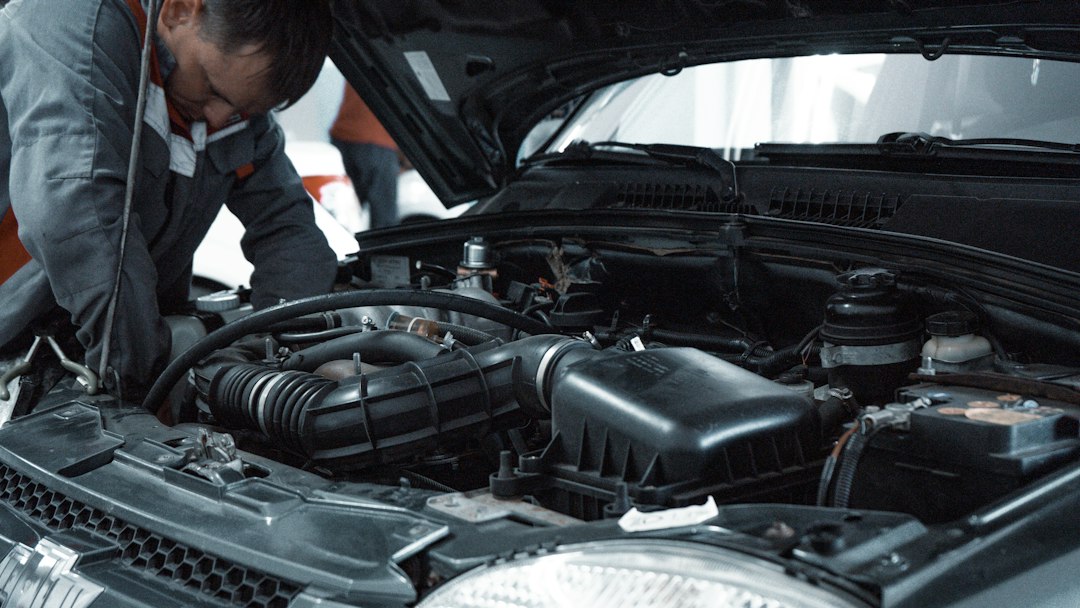
What a working vehicle diagnostic setup delivers
A practical vehicle diagnostic setup lets you reliably find cause, verify repairs, and save time on every job—from a check-engine light to full-system troubleshooting. Expect three basic capabilities: quick fault reading/clearing, live data and waveform analysis, and the ability to run system tests (resets, actuations, battery registration or bi-directional commands) when needed.
Plan the space and workflow first
Start with where you’ll use the tools. A good layout reduces time lost swapping cables, wheeling laptops and moving cars.
- Workbench zone: solid bench with power, a monitor mount and 12V power for handhelds.
- Mobile service cart: a small roll cart for a handheld scanner, jumper leads, multimeter and common adapters.
- Vehicle bay: access to OBD port, a laptop stand, and nearby 120/240V outlets. If you service heavy vehicles, plan for heavy-duty cables and longer VCI leads.
- Network & storage: a small NAS or cloud folder to keep scan logs, firmware files and calibration data organized by VIN.
Choose core hardware: scanner, VCI and accessories
The three physical pieces you’ll use constantly are a scanner, a VCI/interface and supporting test gear.
- All-system scan tool: For most garages the priority is a multi-brand, all-system scanner that reads codes, shows live data and supports common resets. The iCarsoft CR Pro (ID 3554) is a strong single-tool pick for broad vehicle coverage and live-data graphing; it’s suitable where you need in-depth vehicle reads without factory-level reprogramming.
- VCI/Pass-thru interface: If you need OEM-level programming or reflashing, add a J2534 pass-thru device like the TOPDON RLink (ID 2508). Use it with OEM software on a laptop for reprogramming and advanced calibrations.
- Adapters and cabling: OBD extension cables, 16-pin adapters, 20-pin legacy adapters and longer VCI leads. Keep a USB-C or Ethernet option for laptop connections.
- Essential test gear: a digital multimeter, clamp ammeter, fuel pressure gauge, mechanical vacuum gauge and a battery tester/registrar; battery registration-capable tools like the ANCEL BD300 (ID 3055) help when you change batteries and need to register capacity to the vehicle ECU.
Pick the right software and data flow
Software choices depend on the vehicles you service. For dealers and heavy reflash work, OEM packages via a J2534 device are mandatory; for mixed-brand repair shops, use a combination of a robust handheld scanner plus targeted software.
- Install a reliable scan log workflow: VIN capture, save a session file, and attach photos or notes. Store logs by VIN on a simple folder structure or NAS.
- Choose a tablet or laptop that meets vendor specs—many OEM apps need Windows and specific drivers.
- Use a cloud backup and sync tool so you can pull historical data on a return customer quickly.
Arrange testing capability: live data, bi-directional and oscilloscope
Reading codes is only the start. Make sure your setup can validate repairs.
- Live data and graphing: Look for tools that log multiple PIDs simultaneously and let you replay graphs—this speeds diagnosis of intermittent faults.
- Bi-directional controls: Needed for actuations like commanding a purge valve, running an ABS pump, or initiating adaptations.
- Oscilloscope or scope probe: For sensor waveform checks (crank/cam, injector pulses). Even a compact two-channel scope can resolve many electrical mysteries.
Wiring, power and safety
Reliable power prevents data errors and protects equipment.
- Use a quality 12V power supply or jump pack when testing batteries and electronics off-vehicle.
- Label and coil cables neatly on the wall; use quick-disconnects for frequent-use adapters.
- Equip the bay with proper PPE—insulated gloves, eye protection—and a battery acid spill kit.
Workflows: standardize how you walk into a diagnostic job
Create a three-stage workflow to keep jobs efficient and defensible:
- Intake: record VIN, complaint, initial codes and visible faults (photos). Assign priority and choose initial tests.
- Investigation: scan all modules, record live data, perform bi-directional tests or scope checks as needed. Save session files and note suspect components, test values and reference numbers.
- Verification: after repair, rerun the same data capture and actuation to confirm the fault no longer appears. Save comparison logs for the job file.
Troubleshooting common setup problems
Two predictable issues will steal time: communication errors and power-related false readings.
- Communication errors: check OBD port pins, swap the cable, test with a different VCI, and confirm drivers are installed on the laptop. If only one module won’t respond, suspect a blown fuse or module sleep mode—verify vehicle power status.
- Power/noise on signals: ensure good battery voltage (13.2–14.6V when charging) during tests; use filtering or a quality ground strap if you see spiky live-data readings or scope noise.
When to add specialized tools
Buy for immediate need, not every eventuality. Prioritize:
- EV/high-voltage analyzer when you service hybrids or EVs.
- J2534 pass-thru if you’ll do ECU programming, module updates or immobilizer work.
- Manufacturer-specific bi-directional software when you need advanced service resets and guided diagnostics.
Recommended product for most garages
If you want one solid multi-brand scanner to start building around, a handheld all-system tool with graphing and service functions is the most practical purchase. The iCarsoft CR Pro (ID 3554) fits most mixed-bay garages as a primary diagnostic instrument.
- Designate a dedicated bench, mobile cart and laptop zone with power and secure storage.
- Buy one solid all-system scanner and basic multimeter/clamp meter.
- Set up VIN-based scan log folders and a backup routine.
- Stock common adapters, OBD extension, and a battery registration tool.
- Plan for a J2534 pass-thru if you will reprogram ECUs.
A functional vehicle diagnostic setup is about reliable data, repeatable workflows and the right balance of hardware and software. Equip for the vehicles you actually service, then add specialized tools as the business requires.
Do I need OEM software to diagnose every vehicle?
No. Many faults can be found and fixed with a capable multi-brand scanner, but OEM software is required for some programming, advanced guided diagnostics and certain module adaptations.
What’s the minimum kit for a backyard or home garage?
A multi-brand OBD2 scanner with live-data logging, a digital multimeter, basic hand tools, and a way to save logs (laptop or cloud) will cover most DIY needs.
How should I store diagnostic session files?
Organize by VIN and date on a local NAS or cloud folder; keep at least 90 days of readily accessible logs. Include notes and photos with each session file.
Can a handheld scanner replace a laptop-based setup?
For routine code reading and simple service resets, yes. For reprogramming, advanced scripting, or multi-module log comparisons, a laptop with OEM or specialized software is necessary.
How often should I update scanner software?
Update tools whenever you add a vehicle make or see new module coverage needed; monthly updates are common for active shops to keep compatibility current.
Diagnostic Products Related to This Guide


