Expert Diagnostic Support
 Remote Software Installation
 Secure Shopping
 Contact Support


 Shop by Category


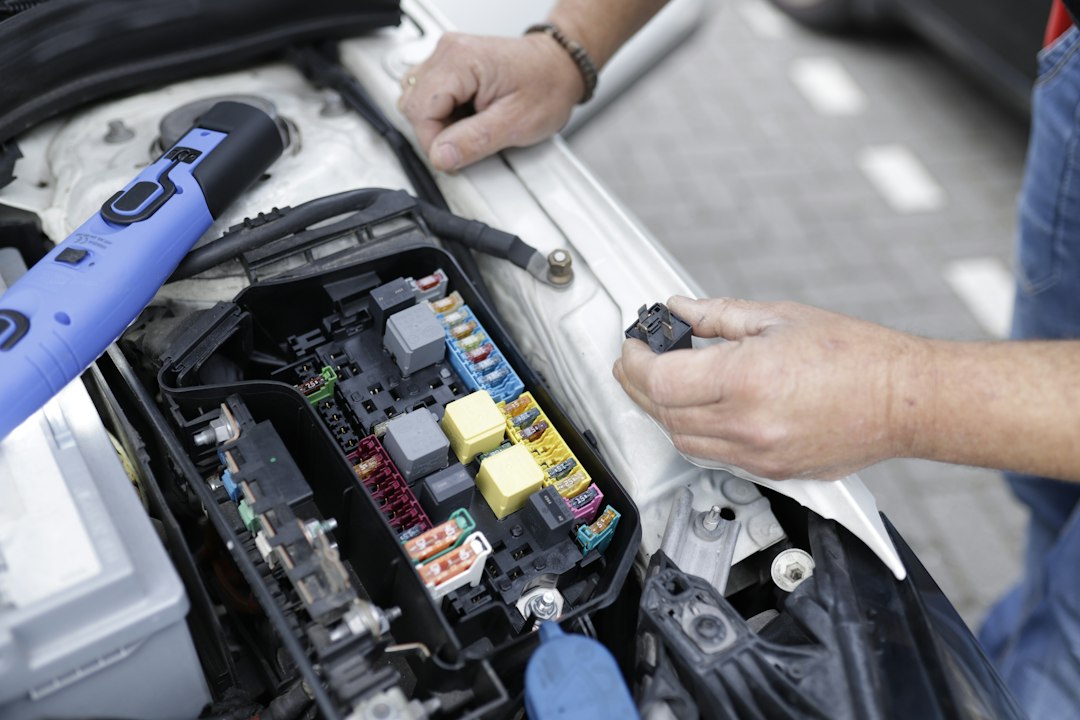
What matters in OBD1 diagnostics — and what you can ignore
If you own or repair older vehicles, focus on three things: getting reliable access to the car’s OBD1 port (correct adapter or OEM connector), reading stored fault codes or blink codes, and verifying the sensors and wiring that generate those codes. You can safely ignore most modern OBD2 features—PID specs, advanced freeze‑frame data, and cloud VIN lookups—because OBD1 cars rarely provide that level of detail. The practical priority is code retrieval, simple live readings (where available), and targeted electrical checks.
Quick answer: how to perform OBD1 diagnostics today
Use an OBD1 scanner or the correct adapter to connect to the vehicle’s factory diagnostic connector, retrieve codes (or observe check‑engine lamp flashes), consult model‑specific code tables, and then confirm suspected faults with multimeter tests and targeted sensor checks. If a scanner can provide live data, use it to verify sensors like TPS, MAF, or coolant temp while reproducing the symptom.
Which tool and adapter you actually need
Not every OBD2 scanner will work with OBD1 connectors. Start by identifying the vehicle’s OBD1 connector type: GM 12‑pin, Toyota 22‑pin, Honda 3‑pin, BMW 20‑pin, etc. If you have a universal handheld that supports OBD1 or comes with adapters, that’s simplest. Otherwise select a dedicated OBD1 scan tool or an OBD1‑to‑OBD2 adapter cable that matches the car’s plug.
If you want one recommended product to start with for general use, the Innova 3170RS is a good all‑rounder that supports many OBD1/OBD2 functions and live data for supported models.
How to read codes on OBD1 cars (step‑by‑step)
- Locate the diagnostic connector—under dash, near fuse box, or in engine bay—and identify the pin configuration.
- Connect your OBD1 tool or the vehicle‑specific adapter to the scanner. If the car uses blink codes (common on older imports), find the service connector to enable flashing the MIL lamp.
- Turn the ignition to RUN (do not start unless instructed). Follow the tool’s prompts to retrieve stored codes or watch the MIL flashes and record the pattern.
- Look up the exact code definition in the vehicle’s factory manual or a reliable code list—OBD1 codes are model‑specific and can mean different things across manufacturers.
- Trace the cause: use wiring diagrams and basic voltage/resistance checks to confirm connectors, grounds and sensor outputs before replacing parts.
Practical note on blink codes and self‑test mode
Some cars (especially early imports) use a jumper on the diagnostic connector that makes the dash light flash codes. Count long and short flashes and compare with the factory table; don’t assume “2 flashes = oxygen sensor” without the model reference.

Live data vs. code reads: when each matters
Stored codes tell you symptoms the ECU flagged; live data confirms whether a sensor behaves correctly while the engine is running. If a code indicates a lean condition, check live fuel trim or MAF output (if available). If your scanner doesn’t show live PIDs for that model, use a multimeter to measure sensor voltage and frequency in real time.
Common diagnostic workflows for typical faults
- Intermittent stalling or rough idle: read codes, then monitor TPS/throttle idle switch and ignition timing signal; check vacuum leaks and ground points.
- Check engine light with misfire code: inspect spark, compression, injector pulse; use live RPM signal and injector voltage traces where possible.
- Fuel/air ratio or poor driveability: verify MAF/airflow sensor outputs, O2 sensor where present, and fuel pressure. Measure sensor voltages with a scope or DMM.
Wiring and power checks most people skip but shouldn’t
Before replacing sensors, confirm they have proper reference voltage, ground, and signal continuity. Common failures on older cars include corroded grounds, brittle wiring at harness ends, and power missing at the diagnostic port—if the scanner has no power check fuse and battery voltage at the port.

On many OBD1 GM connectors, pin A or B supplies power to the scanner; verify that pin rather than assuming the tool is faulty.
When to replace parts and when to chase wiring
If a visual and electrical test shows a sensor reading out of spec with correct power and grounding, replacement makes sense. If voltage to the sensor is missing, intermittent, or the signal wires show shorts/opens, prioritize repairing the harness or connector. Swapping parts without basic electrical confirmation wastes time and money.
Model exceptions and where to look up exact codes
OBD1 is not standardized: GM, Toyota, Nissan and Honda all used different code sets in the late 1980s and 1990s. Use the model’s service manual or a trusted online forum that archives OEM code definitions. If you need software specifically for trucks or heavy equipment, check the site’s diagnostic software categories for compatible packages.
Safety and best practices
Always secure the vehicle (parking brake, chock wheels) when working while running. Avoid probe shorts when back‑probing connectors—insulation puncture can cause shorts. Keep a basic wiring diagram and the correct adapter on hand before starting.
- Identify the vehicle’s OBD1 connector type and condition.
- Confirm scanner/adapter power at the diagnostic port before use.
- Record codes or flash patterns, then consult the model‑specific code list.
- Verify sensor reference voltage, ground and signal with a DMM.
- Use live data or direct voltage checks to reproduce the fault.
- Repair wiring/connectors before replacing sensors when possible.
OBD1 diagnostics is mostly about reliable access, correct code interpretation, and basic electrical verification. Equip yourself with the right adapter, a decent scanner and a multimeter—the combination solves the majority of problems on older vehicles.
Can I use an OBD2 scanner on an OBD1 car?
Sometimes—only if you have the correct OBD1‑to‑OBD2 adapter that matches the vehicle’s plug and the scanner supports OBD1 protocols. Many universal scanners don’t support every OBD1 model’s PIDs.
How do I read blinking MIL codes?
Put the ECU into diagnostic mode (service connector or jumper), count long/short flashes, and compare with the vehicle’s factory code chart—patterns vary by make and year.
What should I test first after getting a code?
Check power, ground and connector integrity to the component; then confirm the sensor signal with a multimeter or live data before replacing parts.
Which adapter do I need for GM OBD1?
GM typically uses a 12‑pin OBD1 connector; choose a compatible 12‑pin to 16‑pin adapter or a scanner that explicitly lists GM OBD1 support.
Where to find OBD1 code definitions?
Use the vehicle’s factory repair manual or reputable online archives/forums that publish OEM OBD1 code tables for specific models and years.
Diagnostic Products Related to This Guide